Uncategorized
Garage Door Remote Replacement

Sep
Garage Door Remote Replacement: 7 Essential Checks Before You Buy
A garage door remote replacement can solve a frustrating access problem, but choosing the right replacement requires more than matching the appearance of an old remote. Garage door openers use different communication systems, remote models, programming procedures, and compatibility requirements.
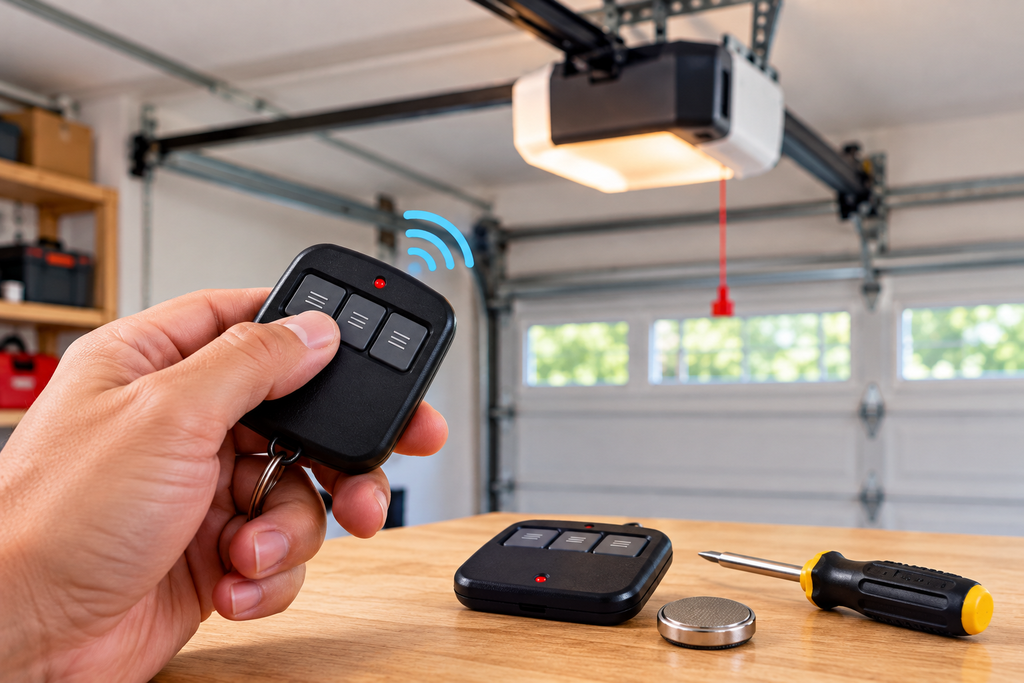
Before ordering a garage door remote replacement, determine exactly what has failed. A weak battery, damaged button, lost remote, programming problem, or opener fault can produce similar symptoms. Identifying the cause first can help you avoid purchasing an unsuitable replacement.
This guide explains what to check before buying a garage door remote replacement, how to identify your opener and existing remote, how to verify compatibility, and what to do after the replacement arrives.

When You Need a Garage Door Remote Replacement
Not every remote-control problem requires a new device. Before purchasing a garage door remote replacement, consider whether the existing remote can be restored through basic troubleshooting.
The Remote Has Been Lost
A lost remote cannot be tested or repaired, making a compatible garage door remote replacement a practical option. If the original remote could still be in someone else’s possession, review the opener’s available remote-management procedures as well.
The Remote Is Physically Damaged
Cracked housings, broken buttons, liquid exposure, and impact damage can affect the electronics inside a remote. When physical damage prevents reliable operation, replacing the unit may be more practical than continuing to use it.
The Remote Stops Responding
Intermittent operation does not automatically mean that the remote has failed. Start with the battery and test the opener with another compatible control if one is available.
What to Check Before Buying
The most common mistake when purchasing a garage door remote replacement is choosing a remote based only on appearance. Instead, collect identifying information from both the opener and the original remote.
Check the Battery First
A weak battery can create symptoms that resemble a failed remote. Reduced range, delayed response, or complete failure can sometimes be resolved simply by installing the correct battery.
For battery-related information, read: Garage Door Remote Battery .
Inspect the Remote Housing
Look for cracks, loose components, damaged buttons, corrosion, or other visible problems. Physical condition can provide useful clues when deciding whether replacement is necessary.
Test Another Control
If another compatible remote or control operates the garage door normally, the original handheld remote becomes a more likely source of the problem. If multiple controls fail, investigate the opener before purchasing another remote.
Identify Your Garage Door Opener
The opener itself provides some of the most useful information when selecting a garage door remote replacement. Locate the identification label on the opener and record the manufacturer and model number.
Record the Brand
Different garage door opener manufacturers use different remote systems, so the brand is an important starting point.
Record the Model Number
Write down the complete opener model number rather than relying on a partial number. A small difference in model identification can affect remote compatibility.
Check Existing Documentation
If the original owner’s manual or documentation is available, use it to identify compatible remote-control models and programming information.
Identify the Existing Remote
If the old remote is still available, it can provide additional information for choosing a garage door remote replacement.
Look for a Model Number
Check the front, rear, underside, battery compartment, and original packaging for a model number or other identifying information.
Count the Buttons
The number of buttons can help determine whether the original remote was designed for one opener or multiple compatible functions.
Compare the Button Arrangement
A similar layout can make a replacement easier to use, but appearance should never replace compatibility verification.
Verify Compatibility Before Ordering
Compatibility should be confirmed before purchasing a garage door remote replacement. A remote can look almost identical to the original while using a different communication system.
Match the Opener and Remote
Use the opener model and remote model to determine whether the replacement is designed for the system. Product compatibility information should be checked carefully before ordering.
Do Not Rely on Appearance
Physical design is not enough to establish compatibility. Two remotes can share similar housings and button arrangements while being designed for different opener systems.
Consider the Required Functions
Think about how many garage doors or compatible functions you need to operate. The right replacement should provide the functions required by your particular setup.
How to Choose the Right Replacement
Once compatibility has been established, selecting a garage door remote replacement becomes much easier.
Single-Door Requirements
If you only need to operate one compatible garage door opener, a simple compatible remote may meet your needs.
Multiple-Door Requirements
A multi-button remote can be useful when the system supports multiple compatible doors or functions.
Familiar Design
Some users prefer a replacement that resembles the original remote. Familiar button placement can make everyday operation more convenient.
Correct System First
Features and appearance should come after compatibility. The primary requirement is that the replacement can communicate with the opener.
What to Do After Buying
Once you have purchased the correct garage door remote replacement, the next step is normally programming or registering the remote with the opener.
Keep the instructions for the remote and opener nearby while completing the setup. The exact process varies by manufacturer and model.
After programming, test the remote from an appropriate position and confirm that the garage door responds correctly.
Programming a Replacement Remote
A replacement remote generally needs to be programmed to the compatible opener before it can operate the garage door.
Programming methods differ between systems. Some openers use a learn or program button, while others use a specific button sequence.
For general programming information, read: How to Program Garage Door Remote .
For LiftMaster-specific instructions, see: LiftMaster Remote Programming .
For Genie systems, see: How to Program Genie Garage Door Remote .
Troubleshooting a New Replacement
If a newly purchased garage door remote replacement does not work, check the simple possibilities before assuming that the product is defective.
Check the Battery
Make sure the battery is the correct type and is installed in the correct orientation.
Confirm Compatibility
Review the opener model and replacement remote information. An incompatible remote cannot be made compatible simply by repeating the programming process.
Repeat the Programming Procedure
Carefully repeat the model-specific programming instructions and follow the recommended timing.
Check Operating Range
If the remote operates only when you are very close to the opener, check battery condition and possible interference before deciding that the replacement has failed.
Test Another Control
Testing another compatible control can help determine whether the issue is associated with the replacement remote or the garage door opener itself.
Wall Buttons and Controls
Handheld remotes are only one part of a garage door opener control system. Wall buttons and control panels provide another method of operating an opener from inside the garage.
For this content cluster, the category page is the pillar page: LiftMaster Wall Control .
Approved Wall Control Products
- Genie Series II Wall Console
- 880LMW LiftMaster Smart Control Panel
- LiftMaster 889LM
- LiftMaster Wireless Wall Button
- Marantec 165917 Wireless Wall Control
- Wall Control Garage Door Opener
- Sommer 4765V001 Wireless Wall Button
- Wayne Dalton 309961 Wall Control
Manufacturer Resource
For additional manufacturer information about Genie garage door openers and accessories, visit the official Genie Company website .
Related Supporting Blogs
These are the approved supporting articles for this content cluster.
- How to Program Garage Door Remote
- Garage Door Remote Battery
- LiftMaster Remote Programming
- How to Program Genie Garage Door Remote
- Garage Door Keypad Replacement
- Genie Keypad Programming
- LiftMaster Wall Control Replacement
Frequently Asked Questions
How do I know whether I need a garage door remote replacement?
A replacement may be appropriate when the remote has been lost, physically damaged, or remains unreliable after checking the battery and testing the opener with another compatible control.
Can I use any remote as a replacement?
No. A replacement remote must be compatible with the opener’s remote-control system. The opener model and replacement remote information should be checked before purchase.
Should I replace the battery first?
When the symptoms are consistent with a weak battery, checking the battery is a sensible first troubleshooting step before purchasing another remote.
Why is my new garage door remote not working?
Possible causes include an incompatible remote, incorrect battery installation, incomplete programming, an incorrect programming sequence, or an issue with the opener.
Does a replacement remote have to be programmed?
A compatible replacement remote generally needs to be programmed or registered with the opener before it can operate the garage door.
Are handheld remotes and wall controls the same thing?
No. They are different types of garage door controls. Their functions and compatibility requirements depend on the opener system.
Where can I find wall buttons and controls?
The Wall Buttons & Controls category is available here: LiftMaster Wall Control .
Final Thoughts
Choosing a garage door remote replacement should begin with identification and compatibility rather than appearance alone. Check the opener brand and model, inspect the existing remote, consider the battery, and confirm that the replacement is designed for the opener system.
Once the correct replacement has been selected, programming and testing complete the process. If the new remote does not respond, revisit compatibility and programming before assuming another replacement is necessary.
For the broader Wall Buttons & Controls cluster, the category remains the central pillar resource: LiftMaster Wall Control .

Pingback: LiftMaster Wall Control Replacement: 7 Steps for a Better
Pingback: Genie Keypad Programming: 9 Steps for Easy Setup
Pingback: Garage Door Keypad Replacement: 7-Step Easy Installation