Uncategorized
Genie Keypad Programming
Sep
Genie Keypad Programming: 9 Steps for Easy Setup
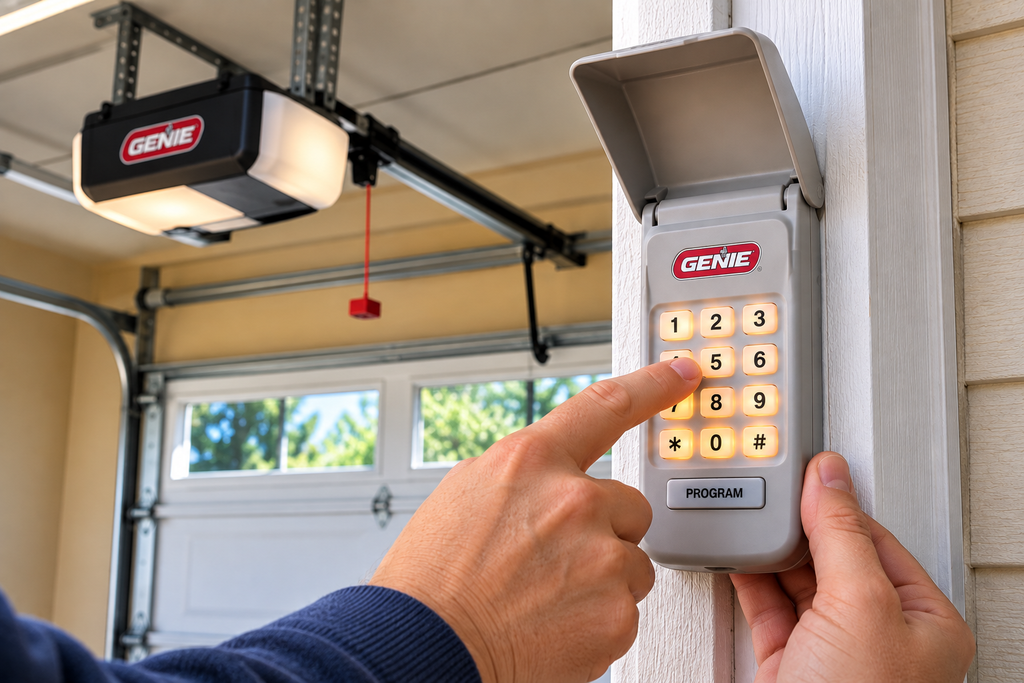
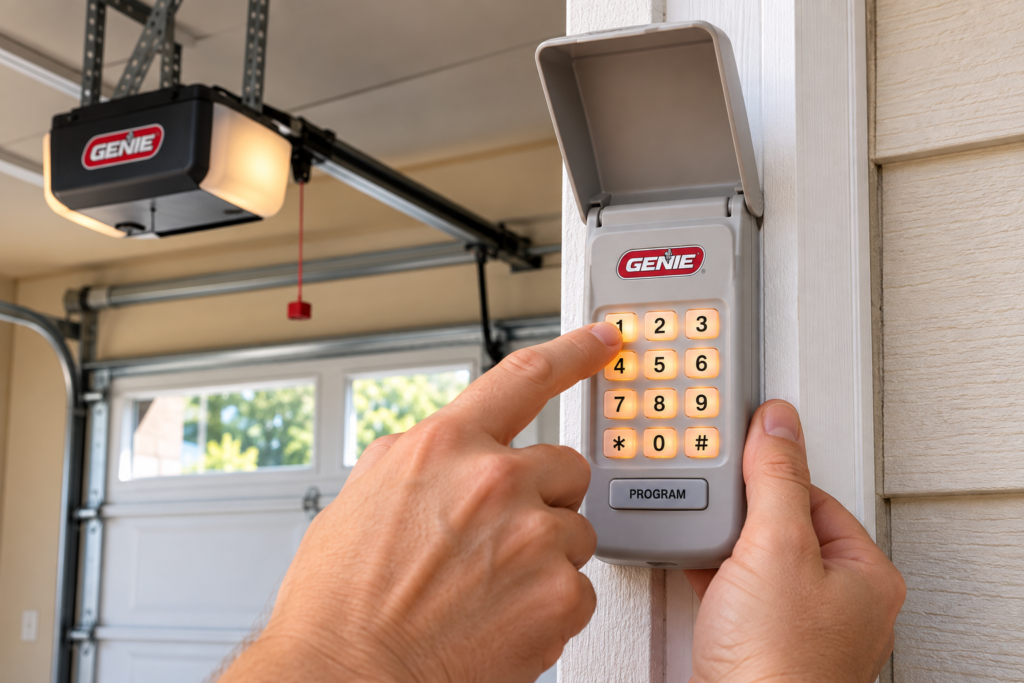
Genie Keypad Programming allows you to use a wireless keypad to operate a compatible Genie garage door opener without carrying a handheld remote. Instead of relying on a traditional transmitter, you enter a programmed personal identification number (PIN) on the keypad and use the keypad’s operating button to send the command to the opener.
The exact Genie Keypad Programming procedure depends on the keypad model and the garage door opener it is being paired with. Genie has several keypad systems, including wireless and universal models, so identifying the equipment before starting is one of the most important parts of the setup.
This guide explains the main stages of Genie Keypad Programming, including preparing the keypad, creating a PIN, pairing the keypad with a Genie opener, programming multiple doors, changing a PIN, resetting the keypad, and troubleshooting common programming problems.

Identify Your Genie Keypad
Before starting Genie Keypad Programming, determine which keypad you have. This matters because Genie has produced different wireless keypad models over the years, and the buttons, indicators, and programming sequences can vary between models.
Check the keypad housing, battery compartment, packaging, owner’s manual, or product label for a model number. Common Genie keypad families include wireless and universal wireless models. Do not assume that instructions for one keypad automatically apply to another.
The model number is especially important if the keypad was purchased as a replacement. A replacement keypad may require a different procedure from the keypad that was originally installed with the garage door opener.
For model-specific instructions, consult Genie’s Remote and Keypad Programming resources .
If you are also replacing the wall-mounted control in your garage, you can review the Genie Series II Wall Console as another Genie control option. Always verify compatibility with your opener before ordering.
Identify the Garage Door Opener
The next stage of Genie Keypad Programming takes place at the garage door opener. Locate the model information on the motor housing and determine which programming control is available.
Depending on the opener generation, you may see a Program button, Learn Code button, or another programming control. The location and operation of these controls can differ between Genie opener families.
Knowing the opener model before beginning prevents you from using a programming sequence intended for another generation. If you have the original opener manual, keep it nearby while completing the setup.
Find the Program or Learn Control
Look around the opener motor housing for the button used to place the unit into programming mode. Check the manufacturer’s instructions if you are unsure which button controls accessory programming.
Do not repeatedly press programming controls without understanding their function. Some opener programming procedures can affect existing remotes or accessories when buttons are held for an extended period.
Prepare for Genie Keypad Programming
Good preparation makes Genie Keypad Programming easier and reduces the chance of stopping halfway through the procedure.
- Have the keypad available.
- Install the specified batteries.
- Confirm the battery polarity.
- Identify the garage door opener model.
- Locate the Program or Learn control.
- Choose a PIN.
- Keep the manufacturer’s instructions nearby.
- Make sure the garage door area is clear.
A weak battery can create symptoms that look like programming failure. If the keypad does not illuminate or respond normally, inspect the batteries before assuming the opener and keypad are incompatible.
If you are installing a new keypad, complete the initial programming procedure before permanently mounting the keypad whenever the manufacturer’s instructions recommend doing so. This makes troubleshooting considerably easier because you can work directly beside the opener.
Create Your Keypad PIN
An important part of Genie Keypad Programming is creating the personal identification number used to authorize operation.
The supported PIN length depends on the specific Genie keypad. Follow the instructions for your model instead of assuming that every Genie keypad uses the same number of digits.
Choose a PIN that authorized household members can remember without making it unnecessarily obvious to someone outside the home. Avoid simple patterns that can easily be guessed.
Enter the PIN Carefully
When entering the PIN during Genie Keypad Programming, press the buttons deliberately and watch the keypad’s indicator lights. If the keypad indicates an invalid entry, wait for it to return to its normal state before starting the sequence again.
Do not assume that an incorrect PIN means the keypad is defective. Programming errors are often caused by entering the sequence in the wrong order or using instructions for a different keypad model.
Program the Genie Garage Door Opener
Once the keypad has been prepared, the central part of Genie Keypad Programming is pairing it with the opener.
Step 1: Put the Opener Into Programming Mode
Locate the opener’s Program or Learn Code control. Follow the model-specific instructions to place the opener into programming mode.
Step 2: Enter the Keypad PIN
Enter the PIN established during the keypad setup procedure. Use the exact sequence specified for the keypad model.
Step 3: Send the Programming Command
Use the keypad’s designated programming or operating control according to the manufacturer’s instructions. The opener’s indicator light or response should confirm that the programming process has been received.
Step 4: Operate the Garage Door
After completing Genie Keypad Programming, test the keypad by entering the PIN and sending an open or close command. Keep people, vehicles, pets, and other objects away from the door while testing.
If the door responds correctly, wait for the cycle to finish and perform another test. Two successful operations provide more confidence that the keypad has been programmed correctly.
Program Multiple Garage Doors
Some Genie keypad systems can operate multiple compatible garage door openers. In that situation, Genie Keypad Programming requires you to associate the keypad with each opener separately.
The process generally involves placing one opener into programming mode, completing the keypad sequence, and then repeating the procedure for another opener. Supported models may use door numbers to distinguish between different garage doors.
Keep Door Assignments Organized
If you have two or three garage doors, decide which keypad number corresponds with each opener before starting. For example, you can designate one number for the left garage door and another for the right garage door.
Test every assigned door independently after completing Genie Keypad Programming. This prevents confusion if one keypad command has been assigned to the wrong opener.
Program a Genie Universal Keypad
Universal keypads require additional attention because compatibility is not determined solely by the name on the keypad. The opener manufacturer, receiver, and applicable compatibility information all matter.
For universal Genie Keypad Programming, identify the opener brand and receiver information before selecting the appropriate programming option.
Check the Opener Information
Look for manufacturer and model information on the opener or receiver. The original manual can also provide information about the remote-control system.
Use the Correct Opener Identification
A universal Genie keypad can require an opener identification number or compatibility selection. Use the manufacturer’s current compatibility information instead of guessing.
For universal keypad instructions, see Genie’s Universal Wireless Entry Keypad Programming Instructions .
If you also need a wall-mounted garage door control, you can compare the LiftMaster Wireless Wall Button with other compatible wall-control options.
Change an Existing PIN
Changing an access code is different from performing initial Genie Keypad Programming. If the keypad already works and you simply want a new PIN, use the model-specific PIN-change procedure.
Keep the replacement PIN private and provide it only to people who are authorized to operate the garage door.
After changing the PIN, perform a complete test. Enter the new PIN and confirm that the garage door responds as expected.
If the keypad rejects the new PIN, stop and consult the instructions for that exact keypad instead of repeatedly entering random combinations.
Reset a Genie Keypad
A reset can be useful when the current programming is unknown or when you want to start the Genie Keypad Programming process again from the beginning.
Reset procedures are model-specific. Some Genie wireless keypads use a combination of buttons to restore factory settings, while other models can use different sequences.
After a factory reset, the keypad may need to be programmed again before it can operate the garage door opener.
When Should You Reset?
- The existing PIN is unknown.
- The keypad was previously programmed to another opener.
- You want to start the setup over.
- The keypad is responding unexpectedly after an incomplete programming attempt.
Do not reset the keypad simply because the opener does not respond. First verify the batteries, keypad model, opener compatibility, and programming sequence.
Test the Keypad After Programming
Testing is the final stage of Genie Keypad Programming. A keypad should not be considered fully configured until the programmed PIN successfully operates the compatible opener.
Test the PIN
Enter the PIN slowly and observe the keypad indicators.
Test the Door
Send an operating command and observe the garage door. Make sure the door area remains clear.
Repeat the Test
Run another cycle after the first successful operation. If multiple openers are programmed, test every assigned door.
Genie Keypad Programming Troubleshooting
When Genie Keypad Programming does not work on the first attempt, troubleshoot one part of the system at a time.
The Keypad Does Not Light Up
Check the batteries and their orientation. Replace weak batteries with the type specified for your keypad.
The PIN Is Rejected
Confirm the PIN and restart the keypad procedure if necessary. Make sure you are following the sequence for the exact keypad model.
The Opener Does Not Respond
Verify that the opener entered programming mode. Check the model-specific instructions for the correct Program or Learn Code button.
Programming Times Out
Some opener systems provide only a limited programming window. Have the keypad ready before placing the opener into programming mode so the sequence can be completed without unnecessary delays.
The Wrong Garage Door Opens
For a multi-door installation, check the assigned door number. Reprogram the affected opener according to the manufacturer’s multi-door instructions.
The Keypad Worked Before
Start with the battery and PIN. Then consider whether the keypad was reset, whether the opener’s programming was changed, or whether another accessory has affected the system.
Universal Keypad Will Not Program
Confirm the opener brand, receiver information, and selected compatibility option. Universal Genie Keypad Programming requires the correct opener information.
Why Proper Genie Keypad Programming Matters
A garage door keypad is an access-control device, so programming it correctly is more important than simply getting the keypad to illuminate. The PIN, keypad model, opener receiver, and programming sequence all have to work together.
Correct Genie Keypad Programming also makes troubleshooting easier later. Once you know the keypad model and the opener it is paired with, battery replacement, PIN changes, and future reprogramming become much more straightforward.
If the equipment has been replaced over time, verify compatibility instead of assuming that an older keypad and newer opener will use the same programming method.
For customers comparing garage door control components, the Genie Series II Wall Console is another product to review when applicable to the opener system.
For LiftMaster systems, you can also compare the 880LMW LiftMaster Smart Control Panel and LiftMaster 889LM .
Related Garage Door Products
If you are working on garage door access or wall-control equipment alongside Genie Keypad Programming, the following products may be relevant. Always verify compatibility before ordering.
- Genie Series II Wall Console
- 880LMW LiftMaster Smart Control Panel
- LiftMaster 889LM
- LiftMaster Wireless Wall Button
- Marantec 165917 Wireless Wall Control
- Wall Control Garage Door Opener
- Sommer 4765V001 Wireless Wall Button
- Wayne Dalton 309961 Wall Control
For additional LiftMaster wall-control options, visit the LiftMaster Wall Control category.
Related Garage Door Articles
Explore these related garage door articles for additional information about remotes, batteries, programming, keypads, and wall controls.
- How to Program Garage Door Remote
- Garage Door Remote Replacement
- Garage Door Remote Battery
- LiftMaster Remote Programming
- How to Program Genie Garage Door Remote
- Garage Door Keypad Replacement
- LiftMaster Wall Control Replacement
Frequently Asked Questions
How do I start Genie Keypad Programming?
Start by identifying the exact keypad and garage door opener models. Then install the specified batteries, choose a PIN, locate the opener’s Program or Learn control, and follow the model-specific programming sequence.
Why is my Genie keypad not accepting my PIN?
Check that the PIN is being entered correctly and that you are using the correct programming procedure for your keypad model. If the keypad was previously programmed, a reset or PIN-change procedure may be required instead of the new-keypad sequence.
Can one Genie keypad operate multiple garage doors?
Some compatible Genie keypad systems support multiple garage door openers. The supported number of doors and programming procedure depend on the keypad model.
What should I do if the keypad does not light up?
Check the batteries first. Confirm the battery type and polarity, then try again. If the keypad still does not respond, consult the model-specific documentation.
Can I change my Genie keypad PIN?
Yes, supported Genie keypad models provide procedures for changing the existing PIN. The button sequence varies by model.
Can I reset a Genie keypad?
Many Genie keypad models can be reset, but the reset sequence is not universal. Use the instructions for the exact keypad model.
Does replacing the keypad battery erase the programming?
Battery behavior depends on the keypad model. Some Genie wireless keypads retain programming after battery replacement. Check the documentation for your specific model.
Why does my keypad work but the garage door does not move?
Verify that the keypad is paired with the opener, the correct PIN is being used, and the opener is compatible. If the opener never responds, repeat the model-specific programming procedure.
Final Thoughts on Genie Keypad Programming
Successful Genie Keypad Programming starts with identification rather than button pressing. Confirm the keypad model, identify the opener, prepare the batteries and PIN, and then use the manufacturer’s procedure designed for that equipment.
Once the keypad has been programmed, test it more than once and confirm that the correct garage door responds. For multi-door systems, verify each door assignment individually.
If programming fails, work through the basics in order: battery condition, keypad model, opener model, PIN, programming mode, and compatibility. This approach is much more reliable than repeatedly trying unrelated programming sequences.
For additional garage door control components, explore the LiftMaster Wall Control category.
You can also review the Genie Series II Wall Console , LiftMaster Wireless Wall Button , and Wall Control Garage Door Opener when comparing compatible garage door control components.